


Show Classic Menus and Toolbars on the Microsoft® Office 2010 Ribbon
Classic Menu for Office 2010 v9.25
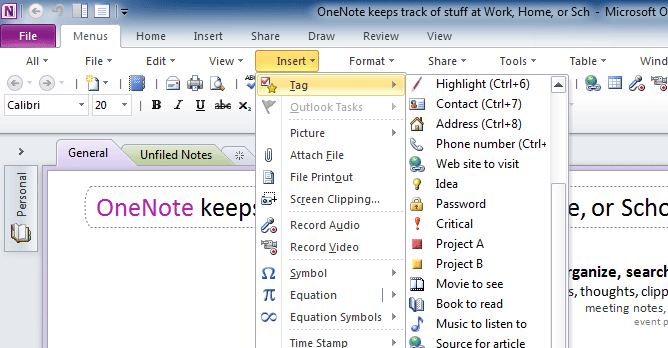
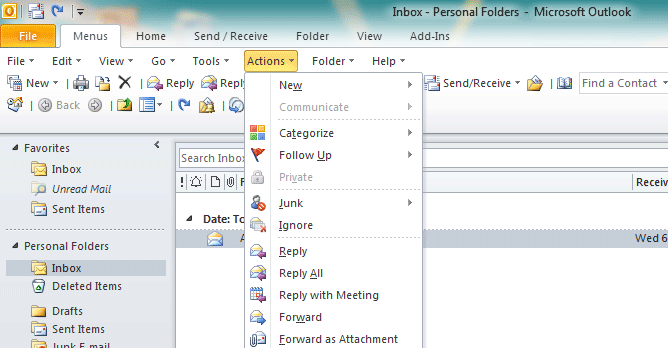
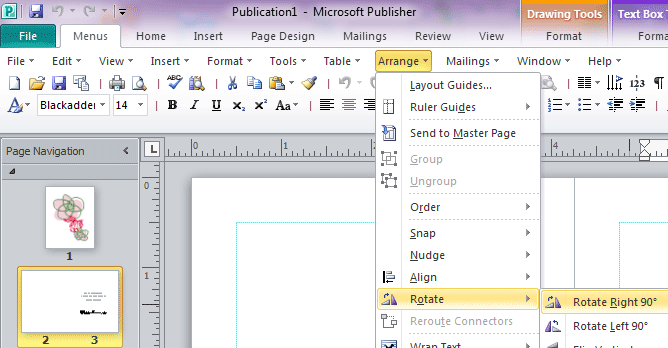
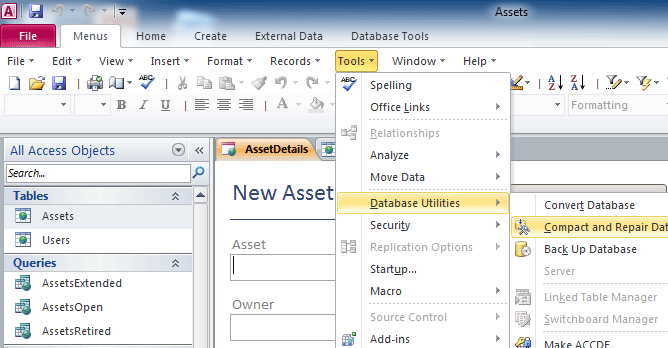
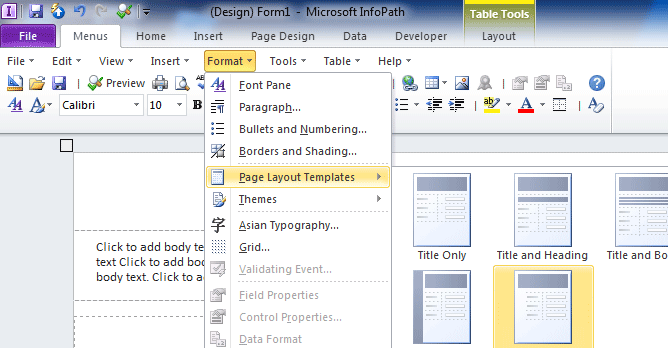
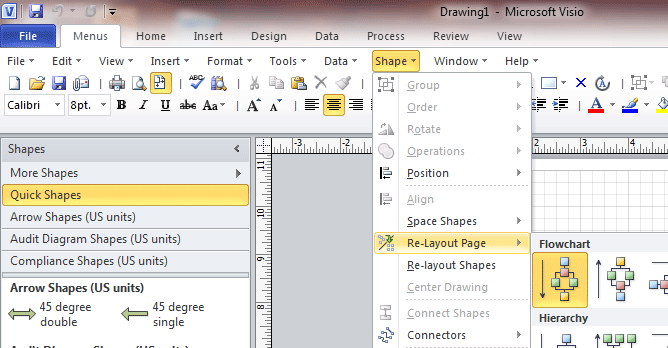
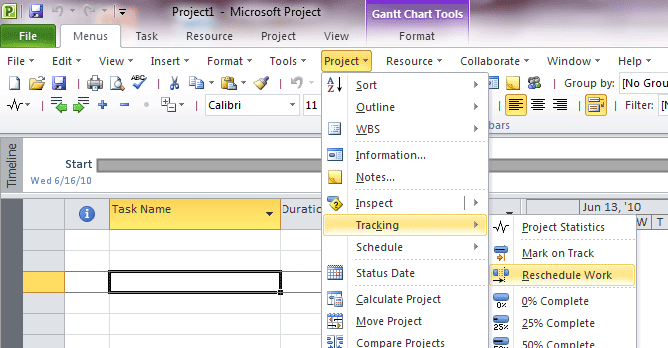
 If you can’t find commands on the Microsoft Office 2010 ribbon, you aren’t alone. Our Classic Menu software for Office 2010 brings back the familiar Office 2003 menu and toolbars in Office 2010 .
The new features and commands of Microsoft Office 2010 have been integrated into the traditional menus and toolbars. The Office 2010 ribbon tabs are kept intact, so you can truly get the best of both worlds. Find us on Microsoft Office Marketplace!
- Description
- Compare
- Screen Shots
- Free Download
- Purchase


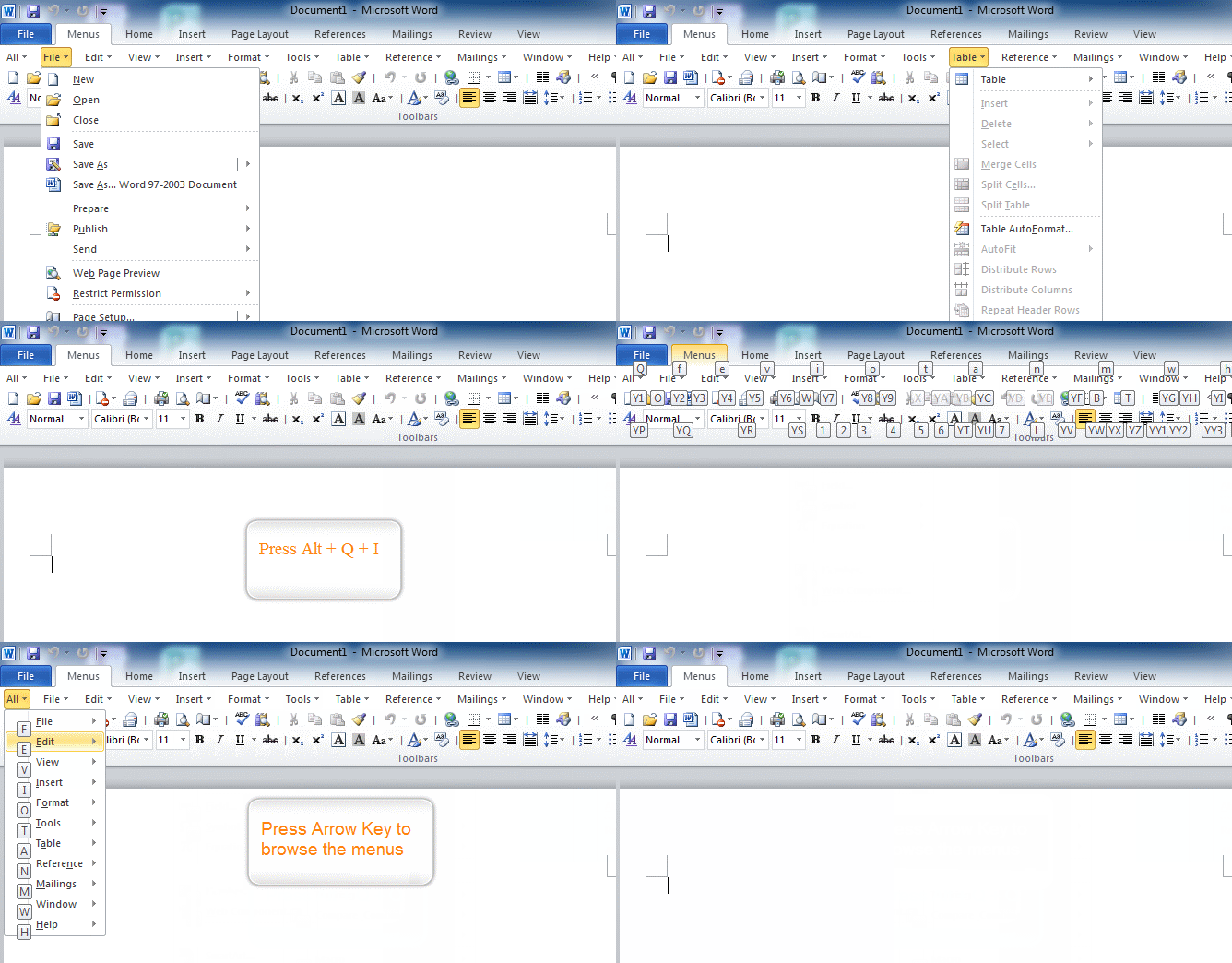
Familiar Keyboard Shortcuts
You can still use the Office 2003 keyboard shortcuts with one modification. If you formerly used Alt+I+R to insert rows in Excel, you would now use Alt+Q+I+R with the Classic Menu product.
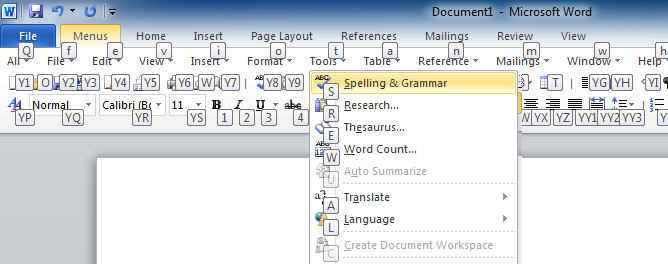
More Features In This Release
- Faster startup
- Small File Size
- Easy to show or hide tabs of Ribbon
- Easy to show or hide the classic menus and toolbars
- Easily change the position of the classic menus tab
- Quickly find and execute the command that you want
- Ribbon and Classic Interface are both available at all times
- Begin to use Microsoft Office 2010 immediately without any training or tutorials
- Fully compatible withMicrosoft Windows XP, Vista(32/64), Windows 7(32/64), Windows Server 2003 and 2008 (32/64), Windows Terminal Server and Citrix System.
Awards
 |
 |
Our Classic Menu for Office 2010 product line include 10 individual programs, such as Classic Menu for Word, Excel, PowerPoint, Access, Outlook, InfoPath, Publisher, OneNote, Visio and Project 2010.
Or, buy a bundle of all of the programs in your current installation of Office 2010. The following suites are available and match the products in the similarly named Office suite. :
Classic Menu for Office Enterprise 2010
Classic Menu for Office 2010
Classic Menu for Office Professional 2010
Classic Menu for Office Standard 2010
Classic Menu for Office Home and Business 2010
Classic Menu for Office Home and Student 2010
Compare Classic Menu for Office 2010 Suites
Classic Menu for ... |
 |
 |
 |
 |
 |
 |
| Enterprise 2010 | Professional Plus 2010 | Professional 2010 | Standard 2010 | Home and Business 2010 | Home and Student 2010 | |
| Word 2010 |  |
|
|
|
|
|
| Excel 2010 | |
|
|
|
|
|
| OneNote 2010 | |
|
|
|
|
|
| PowerPoint 2010 | |
|
|
|
|
|
| Outlook 2010 | |
|
|
|
|
|
| Publisher 2010 | |
|
|
|
||
| Access 2010 | |
|
|
|||
| InfoPath 2010 | |
|
||||
| Visio 2010 | |
|||||
| Project 2010 | |
|||||
*1: The Classic Menu for Office Home and Student 2010 is free for non-commercial personal use. When used in a business, you will need to purchase a license.
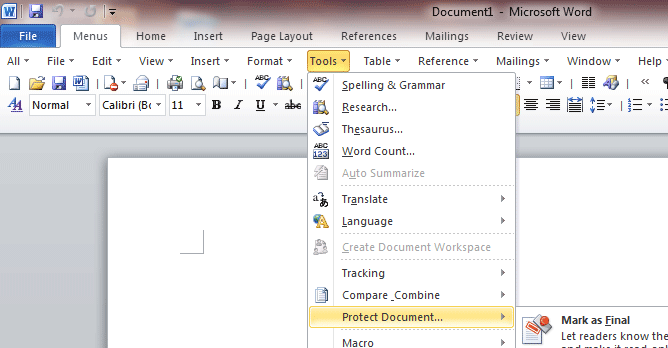
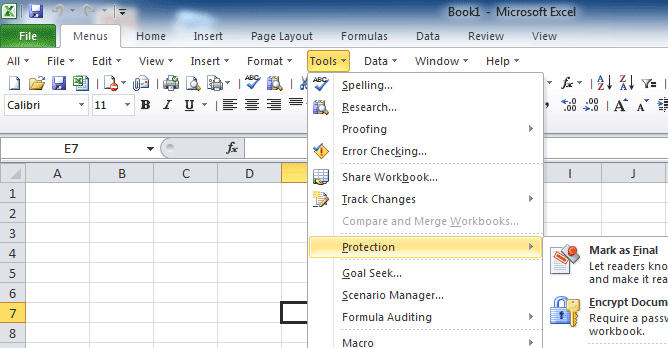
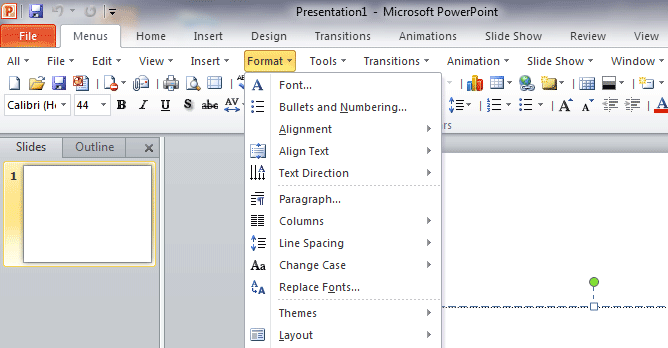
Demo: Classic Menu Keyboard Shortcuts in Office 2010
Classic Menu for Office 2010 suites
|
Classic Menu for Office 2010
|
| Exe package: | 32-bit | 64-bit | ||
 |
MSI package: | 32-bit | 64-bit |
Classic Menu for Office Professional 2010
| Exe package: | 32-bit | 64-bit | ||
|
MSI package: | 32-bit | 64-bit |
Classic Menu for Office Standard 2010
| Exe package: | 32-bit | 64-bit | ||
|
MSI package: | 32-bit | 64-bit |
Classic Menu for Office Home and Business 2010 
| Exe package: | 32-bit | 64-bit | ||
|
MSI package: | 32-bit | 64-bit |
Classic Menu for Office Home and Student 2010
| Exe package: | 32-bit | 64-bit | ||
|
Classic Menu for Office Enterprise 2010
| Exe package: | 32-bit | 64-bit | ||
|
MSI package: | 32-bit | 64-bit |
Classic Menu for Office 2010 Applications
 |
Classic Menu for Word 2010
|
|||||
 |
Classic Menu for Excel 2010
|
|||||
 |
Classic Menu for PowerPoint 2010
|
|||||
 |
Classic Menu for Outlook 2010
|
|||||
 |
Classic Menu for Publisher 2010
|
|||||
 |
Classic Menu for Access 2010
|
|||||
 |
Classic Menu for InfoPath 2010
|
|||||
 |
Classic Menu for Visio 2010
|
|||||
 |
Classic Menu for Project 2010
|
Classic Menu for Office 2010 suites
|
Classic Menu for Office 2010
|
|||
|
Classic Menu for Office Professional 2010
|
|||
|
Classic Menu for Office Standard 2010
|
|||
|
Classic Menu for Office Home and Business 2010
|
|||
|
Classic Menu for Office Enterprise 2010
|
Classic Menu for Office 2010 Applications
|
Classic Menu for Word 2010
|
|||
|
Classic Menu for Excel 2010
|
|||
|
Classic Menu for PowerPoint 2010
|
|||
|
Classic Menu for Outlook 2010
|
|||
|
Classic Menu for Publisher 2010
|
|||
|
Classic Menu for Access 2010
|
|||
|
Classic Menu for InfoPath 2010
|
|||
|
Classic Menu for Visio 2010
|
|||
|
Classic Menu for Project 2010
|

60-Day Money Back Guarantee
100% satisfaction guarantee. If you are not happy with the product for any reasons, simply send an email to sales@addintools.com within 60 days, and we will happily refund 100% of the cost of the order.
Updates and Support
As a registered user, you are entitled to a fully functional, unrestricted copy of the software, free technical support and free updates (service packs, patches and higher versions of the same software).
Security and Privacy
When you place an online order, your credit card information is sent directly to the credit card processor via a secure (SSL) channel so that no one can intercept your personal data.
We fully respect your privacy and will not collect any of your personal information. The information that you provide will not be made available to third parties.
More Info
 Available Ordering Options Include:
Phone, Invoice, Credit Card, Fax-Credit Card, Bank/Wire Transfer, Check/Money Order, Purchase Order.
Recipient or Licensee
By default, the licensee name will be the same as purchaser’s details when processing the order. If you need the software to be licensed in a different name, unselect the checkbox for "The Recipient or Licensee is the same as the Purchaser"
* Microsoft and the Office logo are trademarks or registered trademarks of Microsoft Corporation in the United States and/or other countries.









