


Show Classic Menus and Toolbars on Ribbon of Microsoft Visio 2010, 2013, 2016, 2019 and 365


Classic Menu for Visio
The new ribbon interface of Microsoft® Visio® 2010, 2013, 2016, 2019 and 365 puts many users who were accustomed to Microsoft Visio 2007, 2003, 2002 and 2000 into a fair amount of confusion. The Classic Menu for Visio brings the classic menus and toolbars back to Visio 2010/2013/2016/2019 and solves the problem.
It allows you to work with Microsoft Visio 2010/2013/2016/2019 as if it were Microsoft Visio 2007/2003/2002/2000. To those who are not so familiar with Microsoft Visio 2010, 2013, 2016, 2019 or 365, the familiar menus must be a great help. All new features and commands of Microsoft Visio 2010, 2013, 2016, 2019 and 365 are added to the classic style interface.
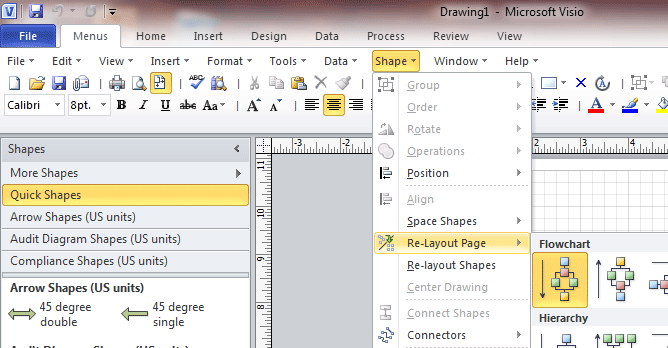
Screen Shot of Classic menus and toolbars in Visio 2010
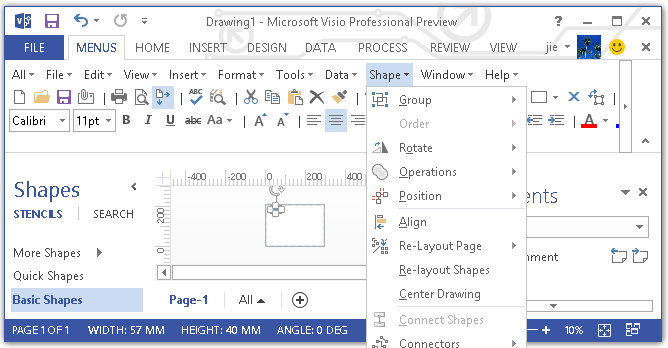
Screen Shot of Classic menus and toolbars in Visio 2013
 If you were using Visio 2007, 2003, 2002 or 2000 before, you don't need any training or tutorials after upgrading to Microsoft Visio 2010/2013/2016/2019 with this add-in now.
Classic Menu for Visio is ideal for international organizations as it supports all the languages of Microsoft Visio 2010, 2013, 2016, 2019 and 365 including English, French, German, Italian, Spanish, Portuguese, Japanese, Dutch, Chinese and more...
Various Display Position
The Menus tab could be showed on the left of Home tab, or showed as the last tab.
Easy Operation
You can enable or disable the classic menu and toolbar in an easy way.
Compatibility
Fully compatible with Microsoft® Windows® 11/10/8/7/Vista (32/64), XP, Windows Server from 2003 to latest version (32/64), Windows Terminal (Remote Desktop) Server and Citrix System.
100% Satisfaction Guarantee
We provide with 60-day money back guarantee. No matter what the reason may be, if you are not satisfied with your purchase in 60 days, we will refund your money.